Paying for parking made easy: A guide to using parking kiosks.
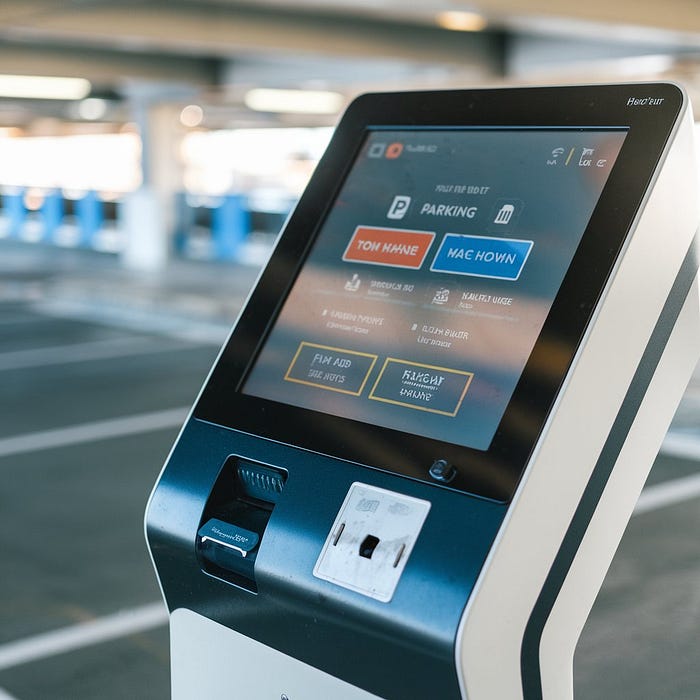
Parking kiosks have revolutionized the way drivers pay for parking in urban areas. With the increasing number of vehicles on the road, cities are adopting modern solutions to enhance parking efficiency and convenience. Parking kiosks eliminate the need for traditional coin-operated meters and provide an easy-to-use, automated system for drivers. This guide will explore everything you need to know about parking kiosks, from their types and benefits to a step-by-step usage guide and troubleshooting common issues.
Understanding Parking Kiosks
What Are Parking Kiosks?
Parking kiosks are automated payment machines designed to manage parking transactions efficiently. These kiosks allow users to pay for parking by entering relevant details such as their vehicle registration number or parking zone. Over time, parking kiosks have evolved to incorporate smart technology, offering multiple payment methods and seamless integration with mobile applications.
Types of Parking Kiosks
There are various types of parking kiosks, each serving a specific function:
- Pay-and-Display Machines: These kiosks provide a printed receipt that must be displayed on the dashboard as proof of payment.
- Smart Kiosks: Equipped with digital touchscreens, smart kiosks offer a user-friendly interface with multiple payment options, including contactless payments.
- App-Integrated Kiosks: These kiosks sync with mobile applications, allowing users to pay via an app and even extend their parking time remotely.
How Parking Kiosks Work
Parking kiosks function through a straightforward process:
- Users enter their vehicle details, parking zone, or slot number.
- They select the desired parking duration.
- Payment is made using various options such as credit/debit cards, coins, mobile wallets, or NFC payments.
- Upon successful payment, a receipt is generated (either printed or digital confirmation via SMS/email).
- Enforcement officers can verify payments using a connected system that tracks license plate numbers.
Benefits of Using Parking Kiosks
Time Efficiency
Parking kiosks save valuable time for drivers by streamlining the payment process. Unlike traditional meters, which require exact change, kiosks accept various payment methods, reducing the time spent searching for coins or attendants.
Cost-Effectiveness
Modern parking kiosks help drivers save money through:
- More transparent pricing models, avoiding overpayments.
- App notifications that alert users before their parking time expires, reducing the risk of fines.
- Discounted rates for extended parking sessions or off-peak hours.
Step-by-Step Guide to Using Parking Kiosks
Locating a Kiosk
Finding a parking kiosk is simple:
- Look for signage indicating the nearest kiosk.
- Some parking lots provide maps or mobile apps that guide users to available kiosks.
- If in doubt, ask a parking attendant or check online resources.
Making a Payment
Follow these steps for a seamless transaction:
- Approach the kiosk and tap the screen (if touchscreen-enabled) or press the start button.
- Enter your vehicle’s license plate number.
- Select the parking duration.
- Choose a payment method (card, coins, mobile wallet, etc.).
- Confirm the payment and wait for the transaction to process.
- Collect your printed receipt or digital confirmation.
Receiving Your Receipt
- Keep the printed receipt on your dashboard if required.
- If the kiosk supports digital receipts, enter your phone number or email to receive confirmation.
- If a payment issue occurs, check the troubleshooting section below.

Common Issues and Troubleshooting
Kiosk Out of Order
If a kiosk is not working:
- Look for nearby alternative kiosks.
- Use a mobile payment option if available.
- Contact the parking authority or call the helpline displayed on the kiosk.
Payment Declined
If your payment is declined:
- Ensure your card has sufficient funds or try another payment method.
- If using contactless payment, check if the kiosk accepts NFC transactions.
- Restart the process and re-enter details carefully.
- If the issue persists, contact customer support.
Conclusion
Parking kiosks provide a seamless and efficient way for drivers to manage parking payments in urban areas. With multiple payment options, smart technology integration, and user-friendly interfaces, these kiosks enhance convenience and reduce parking-related stress. By understanding how to use them effectively and troubleshooting common issues, drivers can make the most of this modern parking solution.

Comments
Post a Comment